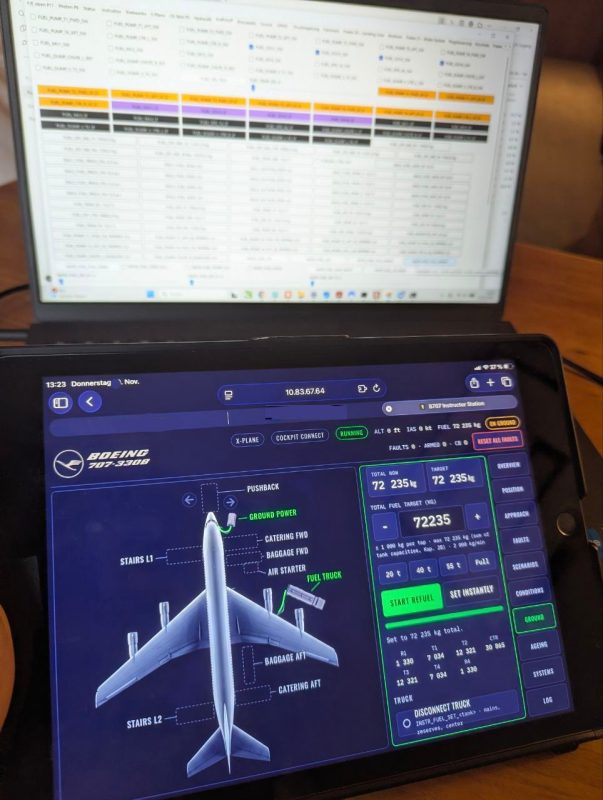
Every real simulator has someone sitting behind the crew: the instructor. They set up the flight, put the aircraft wherever the lesson needs it, and quietly decide when things start to go wrong. For my Lufthansa Boeing 707-330B simulator, D-ABUD, I’m now building exactly that: an Instructor Station that runs on a tablet so pilots can use it. Since I will probabaly be on my own in the sim most of the time it is the perfect solution.
It works in any browser, in landscape or portrait, on several devices at once. Everything changed on one iPad shows up on all the others straight away. The station doesn’t fly or calculate anything itself. It talks to the simulator, sets the conditions and shows what’s happening on board.
Ten pages, one job: run the training session
Overview: everything at a glance. Active and armed faults, tripped circuit breakers, all four engines, hydraulics, generators, cabin altitude and the latest events.
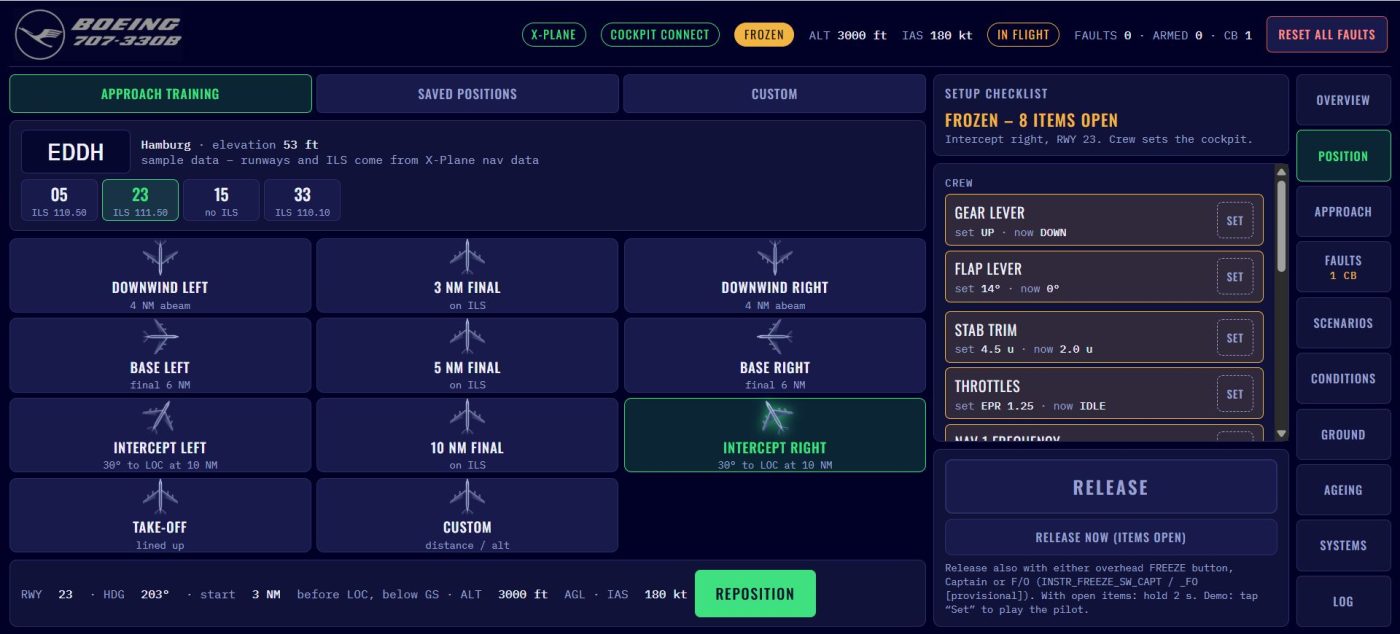
Position: choose an airport and runway, then place the 707 on a 3, 5 or 10 NM final, on downwind, on base, on a 30° ILS intercept or lined up for take-off. The simulator then freezes, and a checklist shows the crew what still has to be set in the cockpit: gear, flaps, trim, throttles, nav frequency, flight director. Each item disappears the moment the lever is in the right place. Once everything is green, the crew releases the simulator with a button on the overhead panel (the former rain repellent push button)
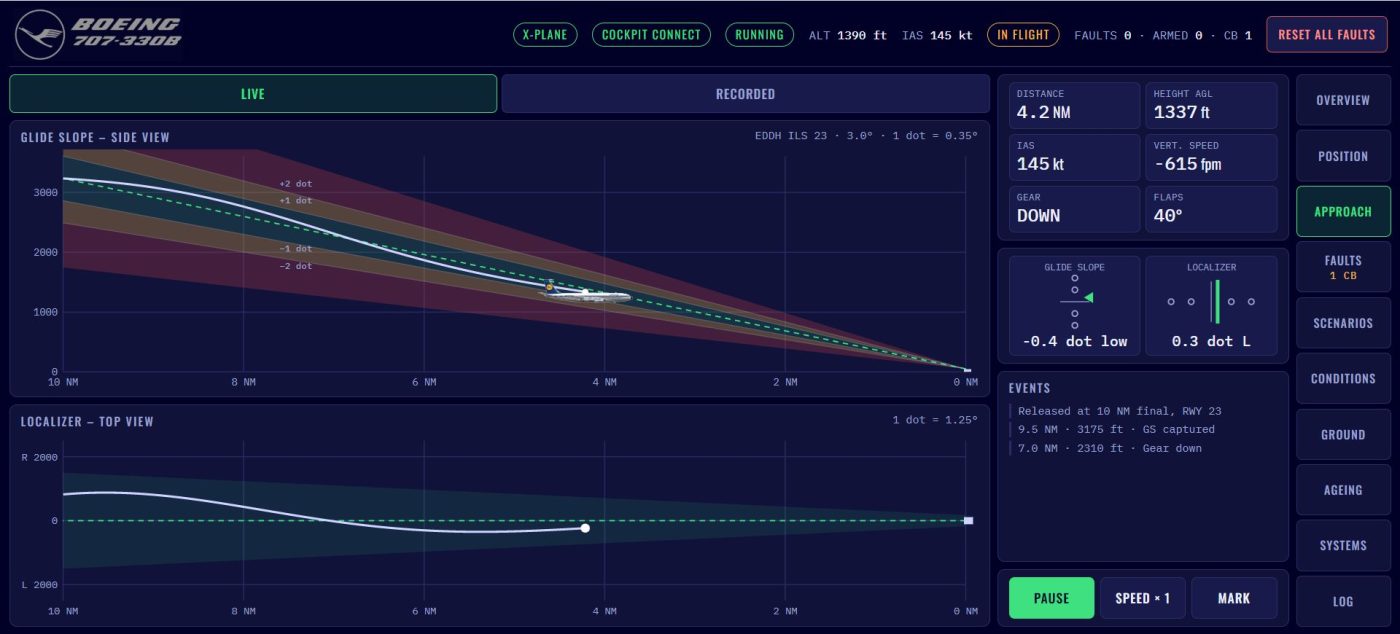
Approach: follow the approach live, in a side view along the glideslope and a top view along the localizer. Green, amber and red zones show one and two dots of deviation, and a small 707 flies along the path.
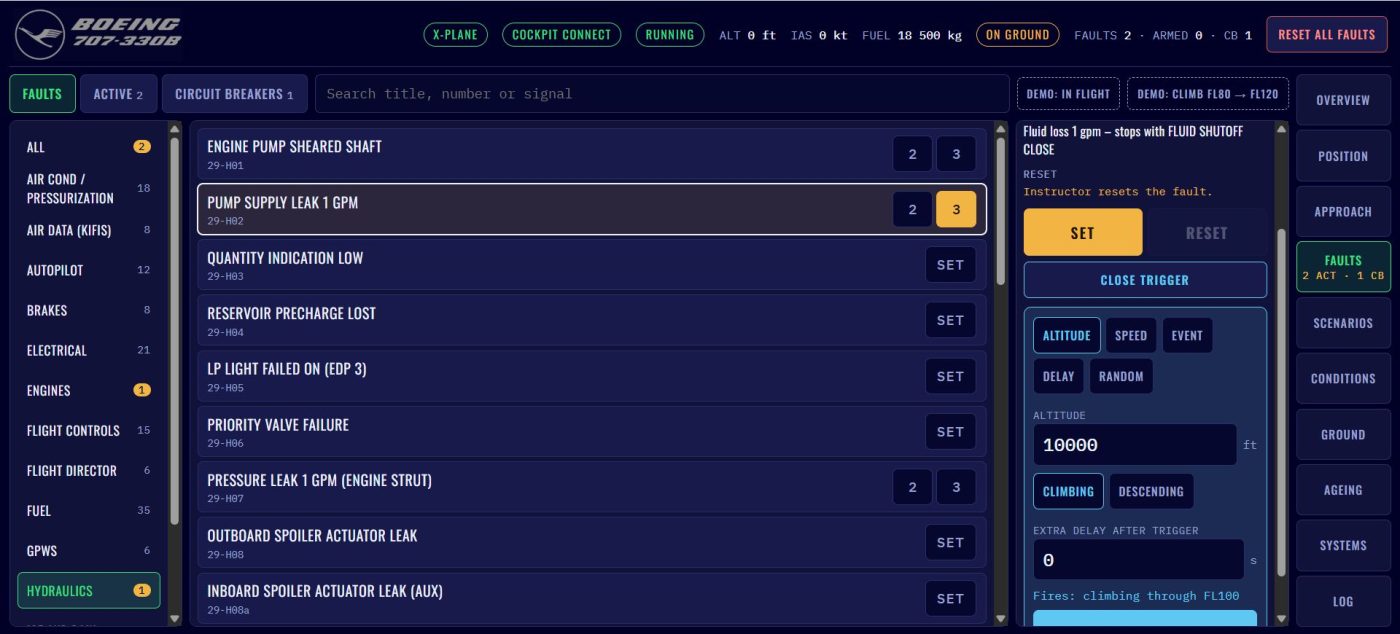
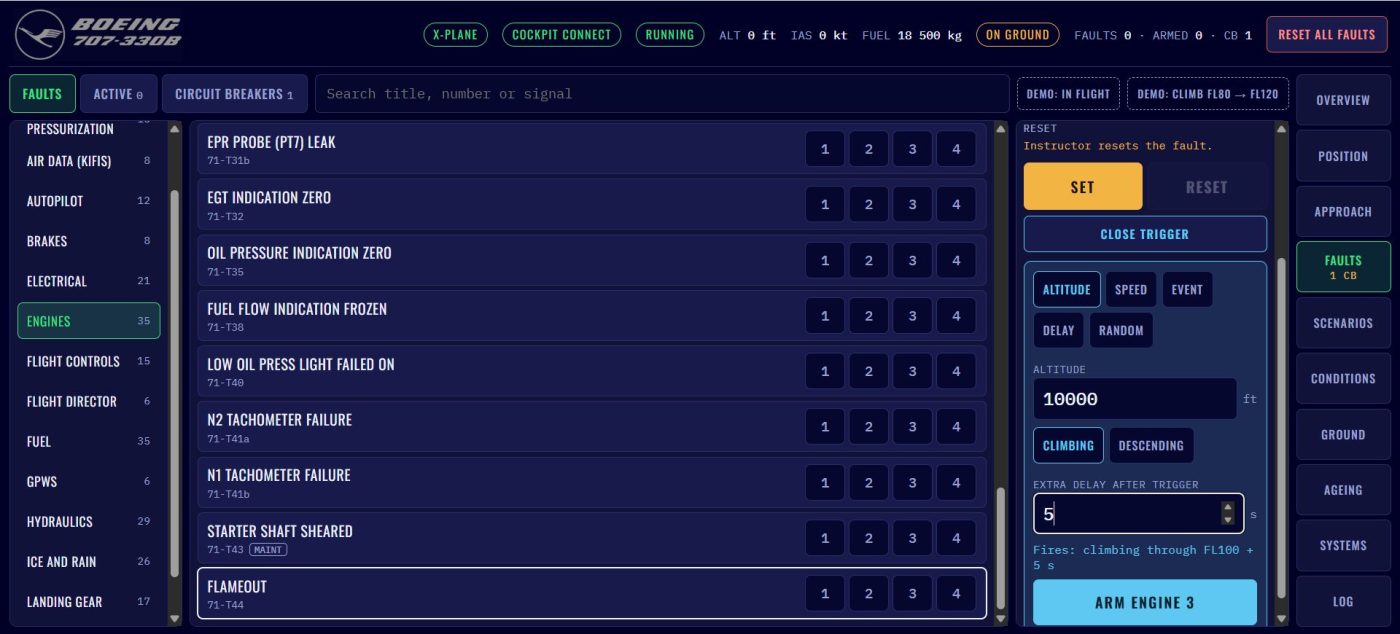
Faults: the heart of the station, with 253 malfunctions across 14 systems: engines, electrics, fuel, hydraulics, pressurization, landing gear, flight controls, autopilot, anti-ice and more. Each one shows what the crew will see in the cockpit. The faults come, among other sources, from the instructor manual of the Lufthansa Boeing 707 simulator in Frankfurt, together with original Lufthansa training documents, the flight crew manual, the maintenance manual and the help of a former Lufthansa 707 flight engineer and an active flight engineer! Faults can be set right away or armed to trigger later: at an altitude, at a speed, at lift-off, after a delay, or at a random moment the crew can’t predict.
Scenarios: prepared lessons, such as “hydraulic leak after lift-off, then a pump failure climbing through FL100”. Load, start, and the station takes care of the rest.
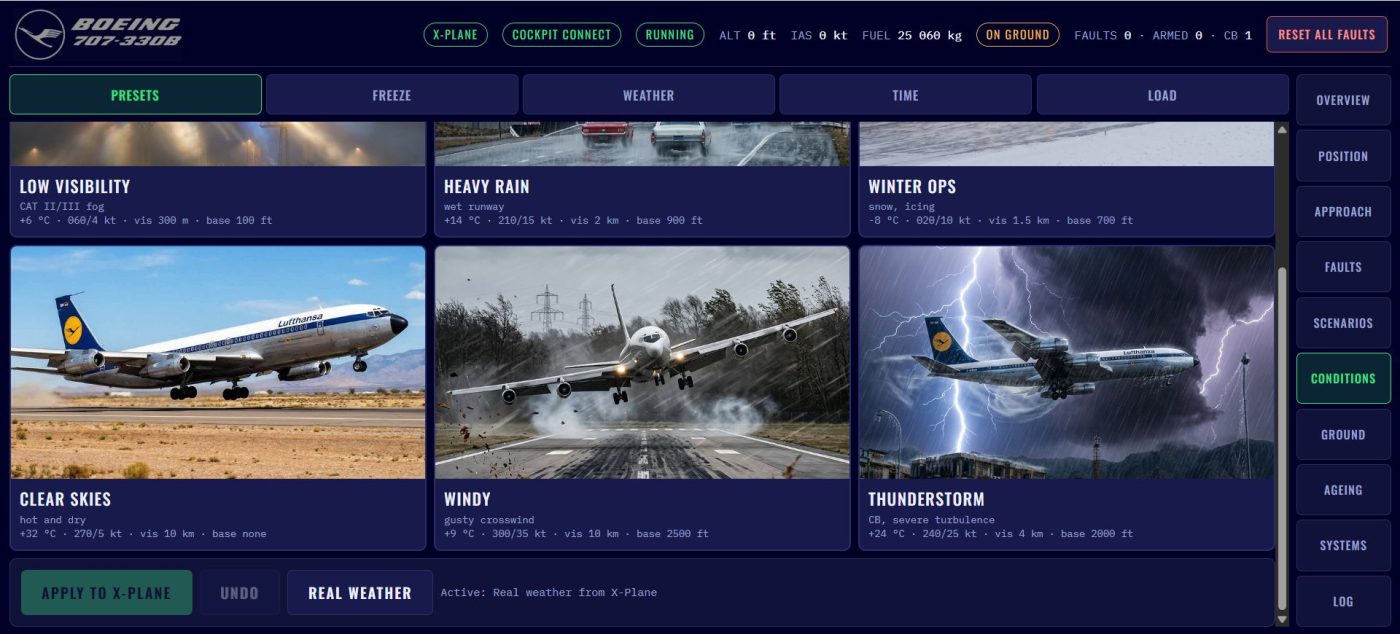
Conditions: six weather situations as photo tiles: low visibility, heavy rain, winter ops, clear skies, a gusty crosswind and a thunderstorm. You also get detailed weather, time of day, freeze functions, and loading with all seven fuel tanks, passengers and cargo.
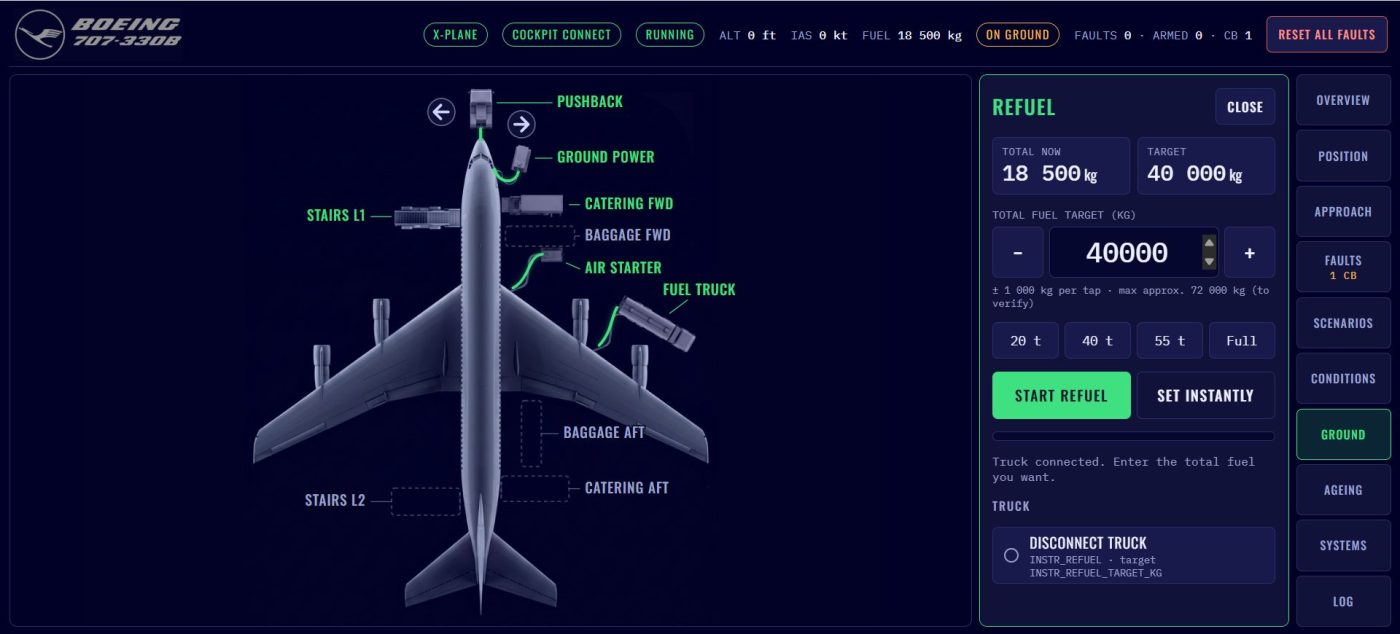
Ground: a top view of the aircraft at the gate with ground power, air starter, fuel truck, stairs, catering, baggage, chocks and the pushback tug.
Ageing: this is what I am very proud of because it is a unique feature!! Every aircraft has its own character. Engines and systems can be aged, washed, trimmed or replaced, from a factory-fresh 707 to a tired old workhorse that runs hot and burns a little more fuel. This was made possible through my friend flying the old workhorse and giving me detailed info on how the aircraft ages.
Systems: read-only views of the aircraft systems (coming later).
Log: every event with time, altitude and speed, limit exceedances recorded like a technical logbook entry, and a debrief with charts showing what happened and when.
Where we are
The groundwork is done. The complete fault list is in the simulator and checked automatically. The core that sets and resets the faults is working, and 33 new engine failures have been added along the way, from hot starts to compressor stalls including stall sounds.
The browser version of the station is being built right now. Arming faults, scenarios, logging, repositioning, weather and ageing will follow step by step. The design is ready for almost every page.
Thank you for following along and for supporting this project. When I first started building this simulator, I jokingly said that we would create the most detailed and best Boeing 707 simulator the world has ever seen.
For a while, I thought I might have bitten off more than I could chew. But now I know I’m going to pull it off!!